roavatar-renderer
Renderer for RoAvatar
The Roblox Avatar renderer used by https://github.com/steinann/RoAvatar
Installing the renderer
RoAvatar-Renderer requires the peer dependency "three" and can be installed using npm like this:
npm install three roavatar-renderer
It is possible to directly include the renderer in your project but it makes it difficult to update the renderer (which is recommended to do routinely to keep compatibility with the latest updates to Roblox).
Using the renderer
IMPORTANT
Assets are NOT included in the npm module or this repository, you have to get them from the main RoAvatar repository OR setFLAGS.ONLINE_ASSETS = true
Basic example on how to load an avatar using OutfitRenderer (to make it simpler):
HTML:
<!--This script has to be loaded in before loading any meshes-->
<script src="/draco_decoder.js"></script>
TYPESCRIPT:
//setup flags that are compatible with you environment
FLAGS.FETCH_FUNC = undefined //undefined is the default fetch() function, this flag can be used to intercept requests (though make sure to keep request headers)
FLAGS.ONLINE_ASSETS = true //set true to false if you want assets to be loaded locally
//if we arent using online assets we have to provide the renderer with the paths
if (!FLAGS.ONLINE_ASSETS) {
//path to asset files from RoAvatar
FLAGS.ASSETS_PATH = chrome.runtime.getURL("assets/rbxasset/")
FLAGS.RIG_PATH = chrome.runtime.getURL("assets/")
}
//if layered assets dont work set this to false (workers improve performance)
//or set FLAGS.GET_WORKER_FUNC to a working function, check source for example
FLAGS.USE_WORKERS = true
//setup RBXRenderer
//actually creating renderer
const includeScene = true
const includeControls = true
const includeAnimate = true
const success = await RBXRenderer.fullSetup(includeScene, includeControls, includeAnimate)
if (!success) {
//roavatar-renderer automatically displays an error, but your own behavior can be included here (like a fallback)
}
//renderer customization
RBXRenderer.setBackgroundColor( 0xbbbbbb )
RBXRenderer.setRendererSize(1000,500)
RBXRenderer.setBackgroundTransparent(false)
//scene customization
RBXRenderer.firstScene.wellLitDirectionalLightIntensity *= 2.5 //recommended
//add renderer to document
document.body.appendChild(RBXRenderer.getRendererElement())
//get the OutfitModel for the user with id 1
const outfitModel = await API.Avatar.GetUserAvatarModel(1)
if (!(outfitModel instanceof OutfitModel)) throw new Error("Failed to get outfitModel")
//create renderer for outfit
//used by api
const auth = new Authentication()
//manages outfit rendering for you
const outfitRenderer = new OutfitRenderer(auth, outfitModel)
outfitRenderer.startAnimating()
outfitRenderer.setMainAnimation("idle")
RESULT:
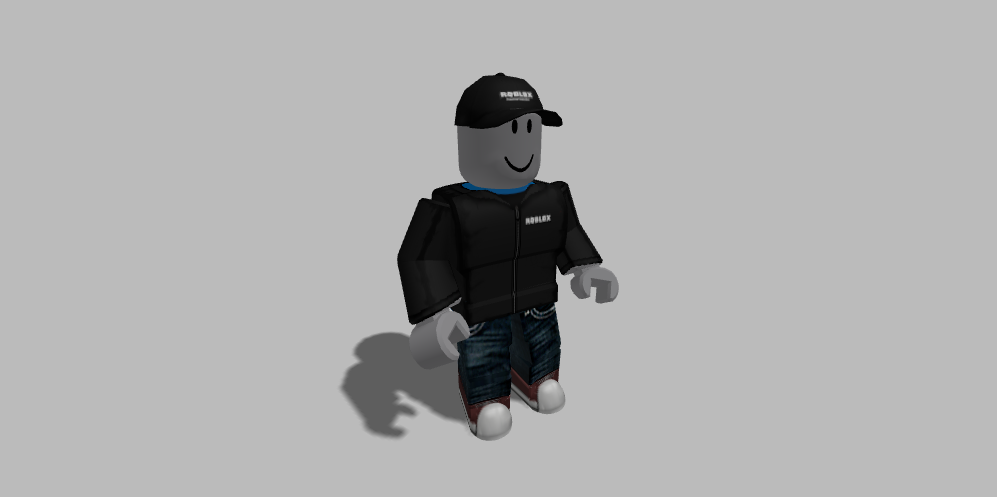
For more code examples check out the OutfitRenderer, BackgroundRenderer, RoAvatar (avatarPreview.tsx) or RoValra (ItemRender.ts) source code
For a live renderer example on a website check out https://roavatar.net
There is also a discord server you can ask for help in: https://discord.gg/PHa5Vgtbva
License
The project is licensed under GPLv3.
Derivative works (for example code based on the code in RoAvatar-Renderer) is also subject to the license. Not following the license while having your project contain code either derived from or directly taken from RoAvatar-Renderer is not allowed. This also applies to code written by AI.
If you want an exception from the license you will have to directly contact the maintainer.