roavatar-renderer
Renderer for RoAvatar
The Roblox Avatar renderer used by https://github.com/steinann/RoAvatar
IMPORTANT
Assets are NOT included in the npm module or this repository, you have to get them from the main RoAvatar repository OR setFLAGS.ONLINE_ASSETS = true
Basic example on how to load an avatar using OutfitRenderer (to make it simpler):
HTML:
<!--This script has to be loaded in before loading any meshes-->
<script src="/draco_decoder.js"></script>
TYPESCRIPT:
//setup flags that are compatible with you environment
FLAGS.FETCH_FUNC = undefined //undefined is the default fetch() function, this flag can be used to intercept requests
FLAGS.ONLINE_ASSETS = true //set true to false if you want assets to be loaded locally
//if we arent using online assets we have to provide the renderer with the paths
if (!FLAGS.ONLINE_ASSETS) {
//path to asset files from RoAvatar
FLAGS.ASSETS_PATH = chrome.runtime.getURL("assets/rbxasset/")
FLAGS.RIG_PATH = chrome.runtime.getURL("assets/")
}
//if layered assets dont work set this to false (workers improve performance)
FLAGS.USE_WORKERS = true
//setup RBXRenderer
//actually creating renderer
const includeScene = true
const includeControls = true
const success = await RBXRenderer.fullSetup(includeScene, includeControls)
if (!success) {
//roavatar-renderer automatically displays an error, but your own behavior can be included here (like a fallback)
}
//renderer customization
RBXRenderer.setBackgroundColor( 0xbbbbbb )
RBXRenderer.setRendererSize(1000,500)
RBXRenderer.setBackgroundTransparent(false)
//add renderer to document
document.body.appendChild(RBXRenderer.getRendererElement())
//get avatar data for the user with id 1
const outfit = await API.Avatar.GetAvatarDetails(1)
if (!(outfit instanceof Outfit)) throw new Error("Failed to get outfit")
//create renderer for outfit
//used by api
const auth = new Authentication()
//manages outfit rendering for you
const outfitRenderer = new OutfitRenderer(auth, outfit)
outfitRenderer.startAnimating()
outfitRenderer.setMainAnimation("idle")
RESULT:
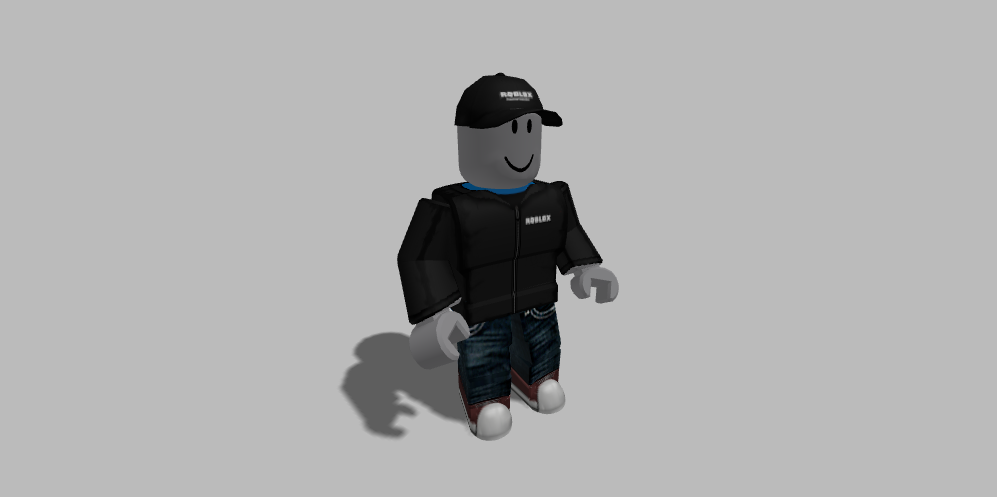
Also the OutfitRenderer code or RoAvatar source code is useful, especially avatarPreview.ts